
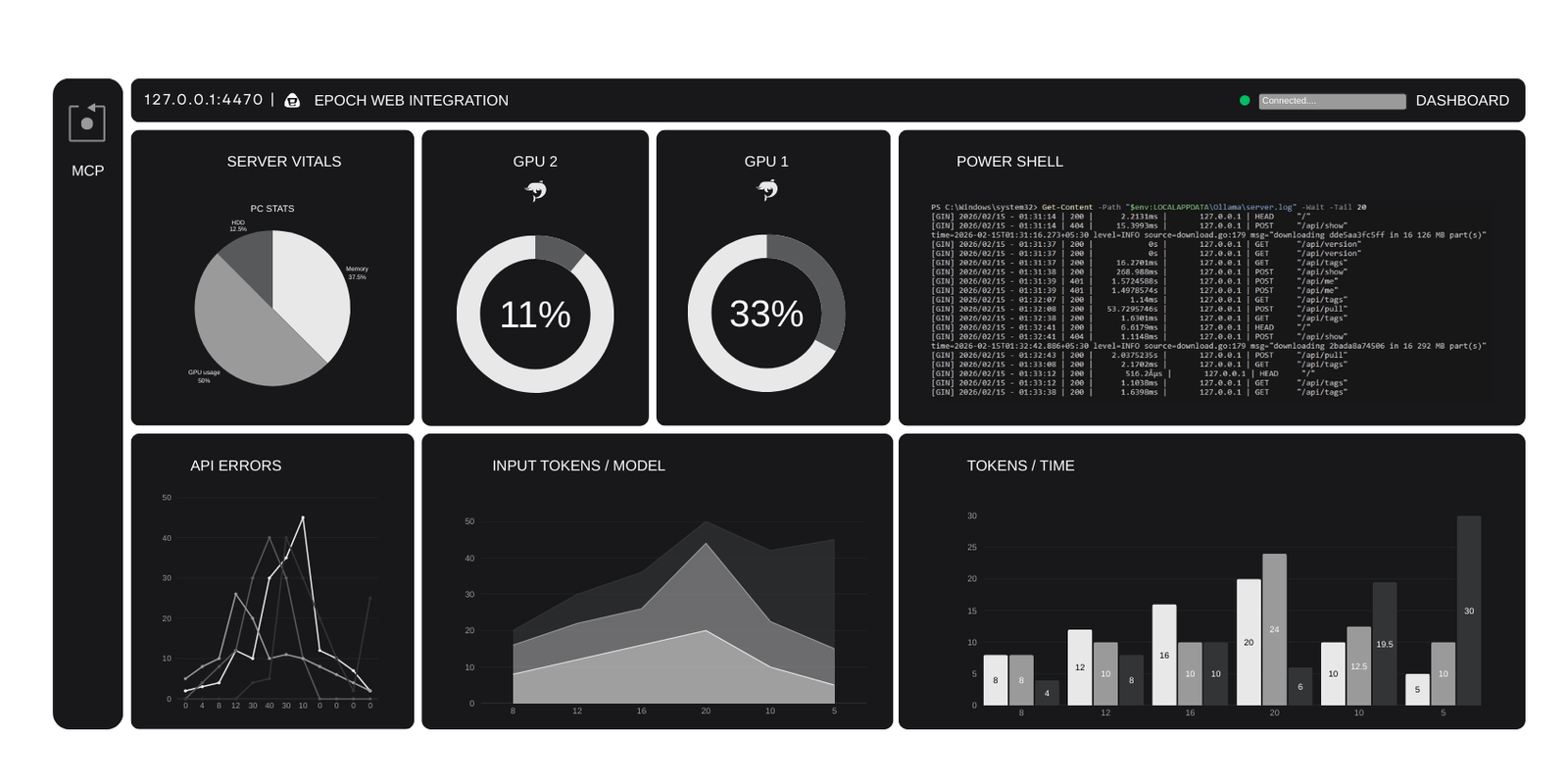
Over the years I have learnt to pay attention to what I need over what I want when it comes to how I work. I noted every important task and decided which tasks I can automate or I can create some way of having tools to do all my grunt work, and I also have an obsession to have tools that do exactly what I need as a single task, nothing more nothing less.
So i decided to have my own Small Language Model AI on my desktop that can do grunt work like compile the project and display error messages, or write a boilerplate code ( for those who are from non-technical background, boilerplate code are functions and files that are common, like a scaffolding or base foundation) for example if I want to build a WordPress plugin, i must have the foundation ready like the correct file names, and folders so that WordPress recognizes my plugin.
So I made a list of foundation I must built before I can enjoy my own AI junior developer:
The software-server environment
- Ollama to host the Small Language Model.
- TextAi for setting up RAG for the AI.
- Fast MCP to have the ability to use AI in any IDE.
The framework needed to have the above server-software environment
- Python
- PIP
- NPX (Node Package eXecute)
- NPM (Node Package Manager)
- Visual Studio for c++ dependencies that is needed for Textai
You can easily do it with ready made systems available like the AnythingLLM, which provides everything you need for the AI to run out of the box, and also works as RAG and MCP server.
Why do I need all this?
The reason is IDEs for development like Cursor, ZED, Visual Studio Code, Android SDK IDE, they are very picky and won’t work well if you use a coder quantified small language model. As these models are not designed to “talk” or have the ability to “run gradle” out of the box.
The second option which I do use is multi model orchestra. I installed 6 Clound LLMS (for testing which one works better for me) in the Android SDK and assigned each one a role.
## 1. Command Structure

-   **Orchestrator**: Gemini (Handles planning, validation, and task delegation)
-   **Worker Nodes**:
    -   **Cloud Large Models**: For complex coding and reasoning tasks.
    -   **Local Small Model (Qwen2.5-coder:3b)**: For grunt work and simple, repetitive tasks.
-   **Fallback Strategy**:
    -   If a node fails or returns a rate limit error (429), the task will be immediately rerouted to the next available node.
Does it work? oh beautifully! But can you let them loose , no way! if you even think of Vibe coding the AI will figure it out and refractor your whole project to a code that worked in 2004 all neatly written in a single file. Does it look beautiful? yes it does. Does it work? Definately not!
This is a bit of off-track but it is important to understand that AI is just a tool, you can’t expect superior reasoning of a human developer. You really need to be a great software architect. You have to micro manage the AI.
I decide and create the MVVM (Model View View Model) scaffolding, I decide which functionality pipeline, I decide what goes into each file and how the data flows throughout the project from Data layer > Repository> DTO> UseCase > ViewModel and finally the screen.kt ( the front end)file made in Kotlin. You have to know programing otherwise the AI will create a beautiful code that doesn’t work.
Anyway, back on track, We need the AI on the PC to have tools, its not like you install it and you prompt it “Jarvis, make me an App that makes money” and voila you have yourself a money making machine; I wish.
So we need to give the AI tools so that it can perform tasks like read and write file my hardrive, access internet to find things for me, I also installed beatifulsoup so that it can scrap internet and read whats online easily. So I created my-server.py file that I configured the MCP to run whenever my AI is called.
import os
import psutil
import pyperclip
import subprocess
import sys
import logging
# Redirect all non-MCP output to stderr so the IDE doesn't hang
logging.basicConfig(level=logging.ERROR, stream=sys.stderr)
import httpx
from bs4 import BeautifulSoup
from duckduckgo_search import DDGS
from pathlib import Path
from mcp.server.fastmcp import FastMCP

# Initialize FastMCP
mcp = FastMCP("WindowsSuperPower")

# --- 1. SYSTEM TOOLS ---
@mcp.tool()
def check_resources() -> str:
    """Checks CPU and RAM usage on this PC."""
    cpu = psutil.cpu_percent(interval=0.1)
    mem = psutil.virtual_memory().percent
    return f"CPU: {cpu}% | RAM: {mem}%"

@mcp.tool()
def read_clipboard() -> str:
    """Reads the current text in your Windows clipboard."""
    return f"Clipboard Content: {pyperclip.paste()}"

# --- 2. ADVANCED FILE MANIPULATION ---
@mcp.tool()
def read_file_content(filepath: str) -> str:
    """Reads the actual text content of a file so you can analyze or fix it."""
    try:
        path = Path(filepath).resolve()
        with open(path, 'r', encoding='utf-8') as f:
            return f.read()
    except Exception as e:
        return f"Error reading file: {str(e)}"

@mcp.tool()
def write_file(filename: str, content: str) -> str:
    """Creates or overwrites a file with new code/text."""
    try:
        with open(filename, "w", encoding="utf-8") as f:
            f.write(content)
        return f"Successfully wrote to {filename}"
    except Exception as e:
        return f"Error writing file: {str(e)}"

# --- 3. POWER TOOLS ---
@mcp.tool()
def run_terminal_command(command: str) -> str:
    """Runs a Windows shell command (e.g., 'dir', 'python --version') and returns output."""
    try:
        result = subprocess.run(command, shell=True, capture_output=True, text=True, timeout=10)
        return f"STDOUT: {result.stdout}\nSTDERR: {result.stderr}"
    except Exception as e:
        return f"Execution Error: {str(e)}"

@mcp.tool()
def search_project_files(query: str, folder: str = ".") -> str:
    """Searches for filenames containing a specific string in your project."""
    results = []
    for root, dirs, files in os.walk(folder):
        for file in files:
            if query.lower() in file.lower():
                results.append(os.path.join(root, file))
    return "\n".join(results[:15]) if results else "No matches found."

# --- 4. INTERNET ACCESS TOOLS ---
@mcp.tool()
def web_search(query: str, max_results: int = 5) -> str:
    """Searches the internet for information on a given topic."""
    try:
        with DDGS() as ddgs:
            results = list(ddgs.text(query, max_results=max_results))
            if not results:
                return "No search results found."
            output = [f"Title: {r['title']}\nLink: {r['href']}\nSnippet: {r['body']}\n---" for r in results]
            return "\n".join(output)
    except Exception as e:
        return f"Search Error: {str(e)}"

@mcp.tool()
async def fetch_web_content(url: str) -> str:
    """Downloads a webpage and extracts the main text content."""
    try:
        async with httpx.AsyncClient(timeout=10.0) as client:
            response = await client.get(url, follow_redirects=True)
            response.raise_for_status()
            soup = BeautifulSoup(response.text, "html.parser")
            for script_or_style in soup(["script", "style"]):
                script_or_style.decompose()
            text = soup.get_text(separator="\n", strip=True)
            return text[:5000] + "..." if len(text) > 5000 else text
    except Exception as e:
        return f"Error fetching URL: {str(e)}"

if __name__ == "__main__":
    mcp.run()
So how does all this work? from command prompt ofcourse. Once you run the command npx @modelcontextprotocol/inspector python [your server file name] and you will be presented with this in the browser.
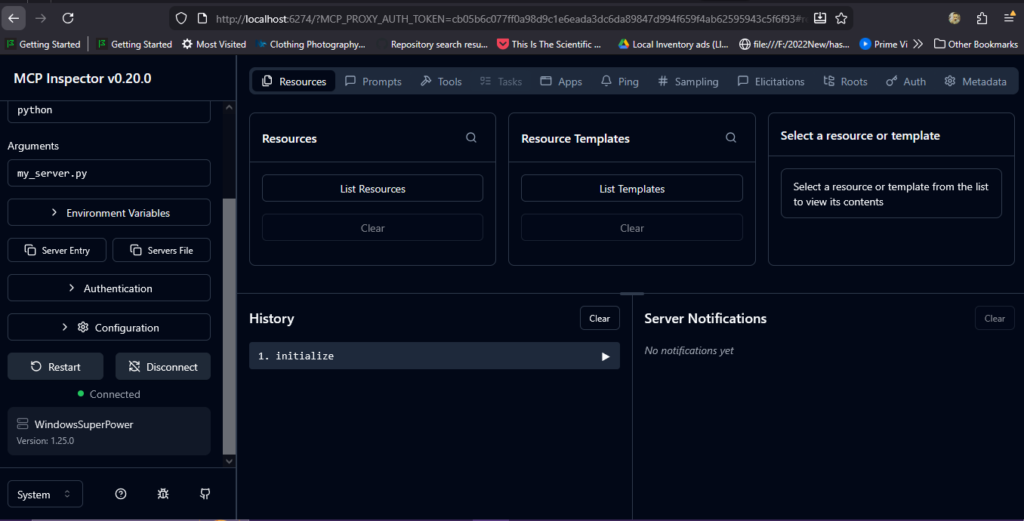
Tested the tools and the MCP server and now my own Small Language Model AI is actively working for me.
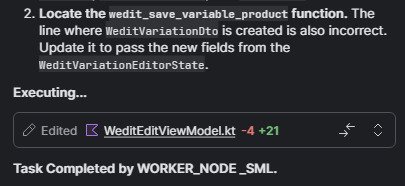
Without setting up the tools above the AI will not work well in the IDE you want to use it in. My setup is not perfect but I can’t complain.
Now I have AI layer within my system that performs tasks that I don’t like to do manually. And it saves me some tokens that Id have to spend on Cloud AI.
You don't need a 5000 dollar pc, if you do you can really have the context window up all the way to 16GB, and use a medium size to full size LLM depending how much Vram you pack. But if you have no graphic card and say about 16GB of system ram, a SML AI with a small 4gb-8gb context window will work well, along with the RAG setup that will compensate for having SML AI remember things about your project.
What is next? Fine tuning RAG for specific task and pretty much building a software in python step by step.
Why do all this when there are so many options available?
There are so many options out there, but i do not prefer anything SaaS for things i wont be sharing. Also having something happening to their servers or updates or even the business going out can cripple my work. Right now i can keep coding without internet and use my AI offline, with RAG setup it already has repository it can use to help me out.
P.S: I added important tools after i wrote this blog to the server python script. And i will keep improving the system and fine tune it to have my small llm code better. I would like to add that in current state it does the job, alas i have to make it do it manually, as i never made it to the “Agentic feel” that most IDEs provide. I am not going to move to that stage as my Small Language Model lacks the human like contextual abilities like the LLM, so i cant give it commands in normal language and i have to use the system instructions when i use it within any IDE. But that is not a problem for me.
There are many options to build an “Agentic layer”, you can use n8nm AnythingLLM and so on. But for me I like to do things from scratch, for learning and understanding how AI behaves and works and how I can leverage it to automate my work-flow.